
Italian and Spanish Now Available on NardiAmericas.shop
- Sep 27, 2025
- 1 min read
We’re excited to announce that the NardiAmericas.shop website is now available in three languages: English, Spanish, and Italian.
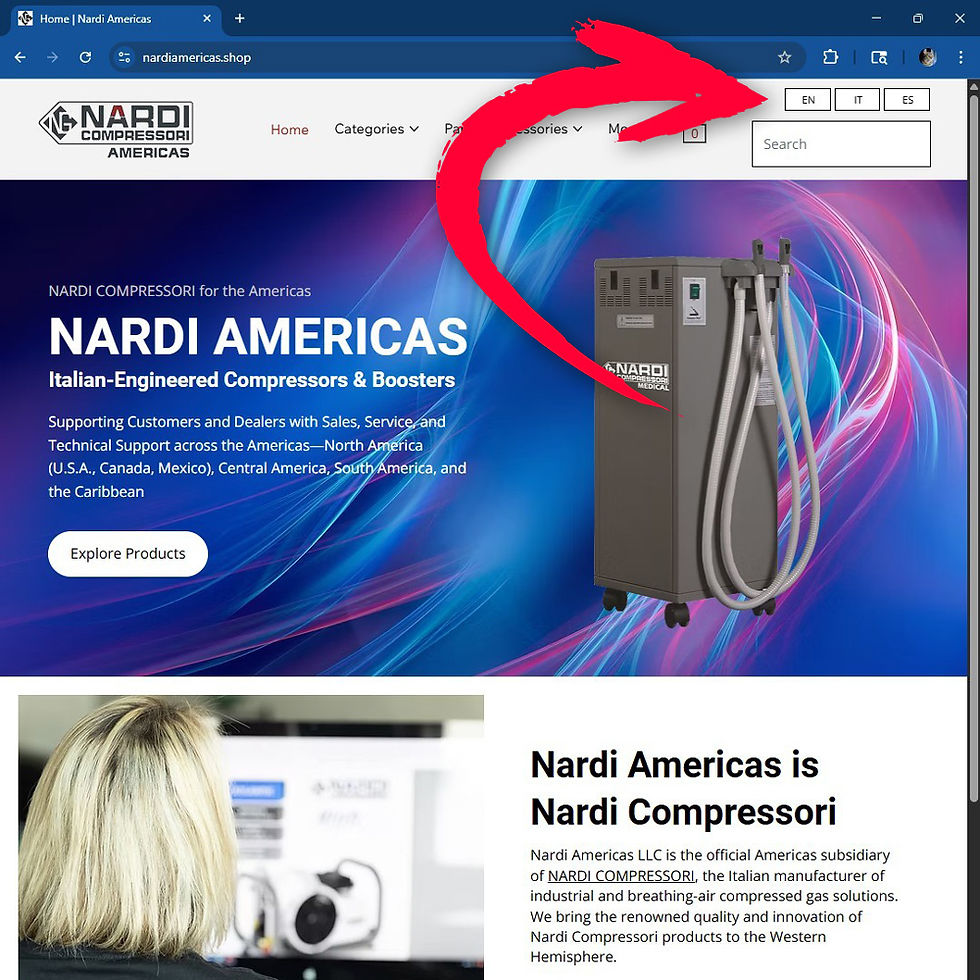
With a single click, you can switch between languages to browse product information, technical details, and support content in your preferred language.

How to Change Languages:
Desktop: Language selection buttons are located in the top header, just above the search bar.
Mobile: Tap the hamburger menu (☰) to access the navigation panel. Language options will appear at the top of the menu.
Available Languages:
EN – English
ES – Español (Spanish)
IT – Italiano (Italian)

Translations are powered by WebLang, a multilingual web tool developed by rubyroid.tech.
Comments